
Tool Name & Overview
Tool Name: Ecrett Music
Official Website / Link: https://ecrettmusic.com/
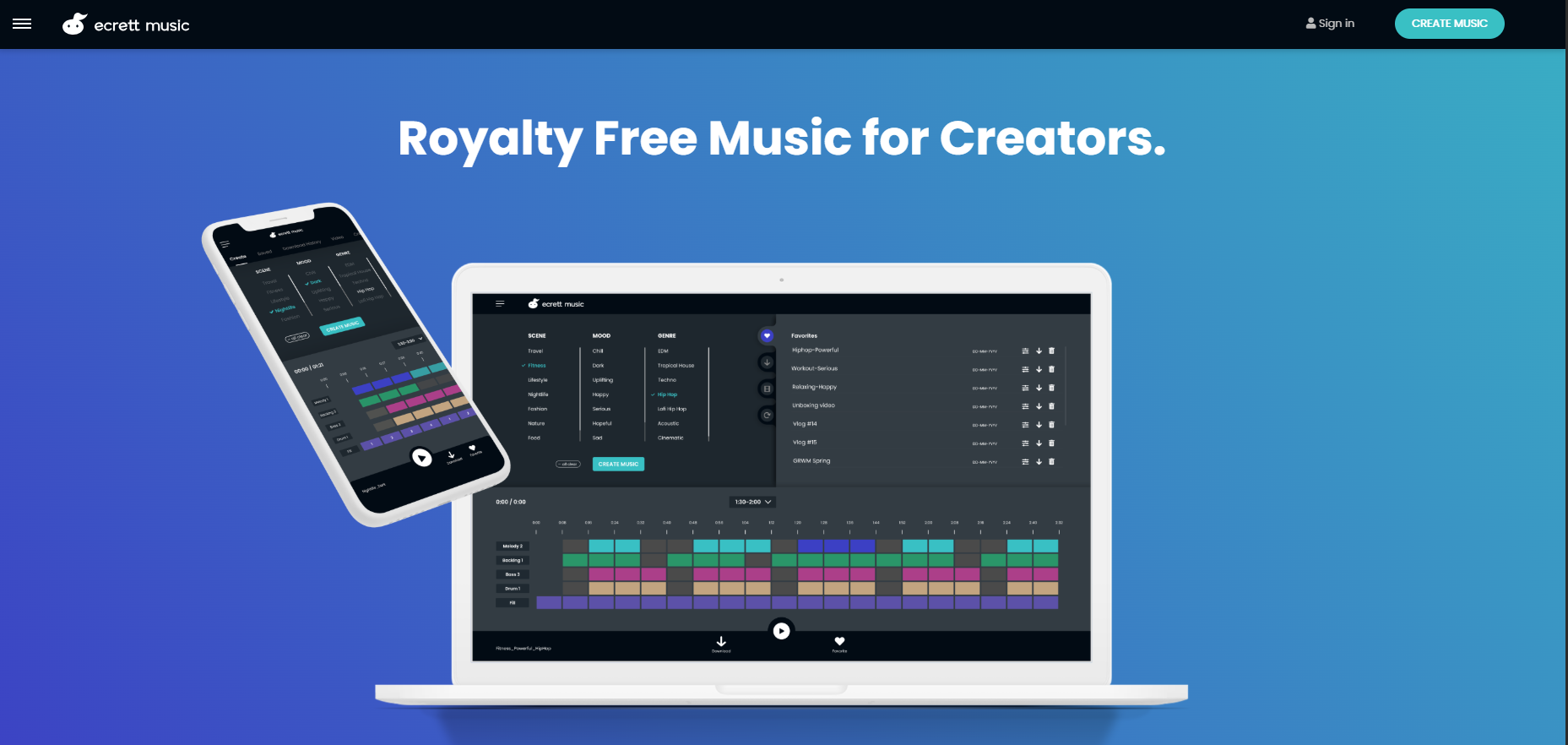
Brief Overview: Ecrett Music uses AI to generate royalty‑free music by selecting scene, mood, and genre. It supports quick customization of structure and instrumentation, ideal for creators.
Licensing & Pricing
License Type: Freemium (subscription for full features)
Cost Details:
Free Plan ($0/mo): Preview downloads, save/manage tracks
Individual Plan: $4.99/month billed annually ($7.99/mo monthly) — unlimited downloads/commercial use
Business Plan: $14.99/month billed annually ($24.99/mo monthly) — company-wide commercial license
Free Tier / Trial: Yes — free previews, creation and management features
Notes on Licensing: Unlimited royalty‑free usage for video, games, podcasts; tracks can’t be redistributed standalone.
System Requirements & Compatibility
Platform: Web‑based (HTML5), optimized for Chrome (works best on desktop)
DAW or Host Integration: N/A (standalone web app)
Minimum Specs: Desktop browser, recommended ≥5 Mbps internet
Additional Dependencies: Internet connection required; PC needed to download files (mobile creation only).
How to Use (Beginner Level)
Step 1: Sign up or start with the free plan via website.
Step 2: On main UI, choose Scene, Mood, and Genre. Click Create Music.
Step 3: Customize by toggling blocks or switching instruments (melody, bass, backing, drums).
Step 4: Save to Favorites or Download History, then export the track. PC download required.
Tip for Beginners: Start with “Scene + Mood + Genre” presets, then tweak structure blocks one at a time.
How to Use (Expert Level)
Advanced Settings: Fine‑tune instrumentation layers, structural blocks; use “Re‑edit” to tweak saved tracks.
Integration Tips: Upload video to preview music alignment; export stems manually by muting layers and re‑downloading.
Workflow Optimization: Use Favorites and Download History to batch‑manage multiple assets; incorporate consistent themes across game levels or episodes for branding.
Key Features & Benefits
AI‑Powered Music Generation: Delivers fresh royalty‑free tracks via scene/mood/genre input—ideal for rapid content
Unlimited Downloads & Royalty‑Free License: Covers commercial and monetized projects—no extra fees.
Intuitive Customization: Tweak instruments and structure without musical expertise.
Video Sync Preview: Upload video to preview and adjust music tempo/sections for tight fit.
Mass‑Pattern Library: Over 500,000 new patterns monthly ensures varied sound options.
Pros & Cons
Pros:
- User‑friendly web‑only interface with minimal learning curve
- Cost-effective plans with commercial usage rights
- Extensive AI‑generated music patterns
- Seamless video integration and editing features
Cons:
- No DAW plugin or API for automation
- Basic editing—no separate MIDI/stem export
- Requires PC browser to download files (mobile limitations)
- Dependence on stable internet (minimum 5 Mbps)
Use Cases & Examples
Example 1: Indie game developer generates looping background music matched to game mood and scene blocks.
Example 2: YouTuber uploads video intro, selects upbeat scene/mood, syncs AI-generated track for monetized content with minimal effort.
User Feedback & Ratings
Rated 4.6/5 on itch.io for ease of use and royalty‑free policy
AI Tool Guru reports high scores (4.6–4.9/5) for usability, cost‑effectiveness, speed
Common praise: intuitive interface and affordable pricing
Complaints: desktop‑only downloads and limited advanced editing tools
Related Tools / Alternatives (Optional)
Soundraw: Similar AI‑music platform, includes API support and deeper editing features.
Mubert: Provides adaptive AI tracks with more genre diversity and API integration.
References & Further Reading
Official tutorial section on Ecrett Music site theaireports.com
AI Tool Guru and Hybrid‑Rituals reviews opentools.ai